

Pick up right where you left off.
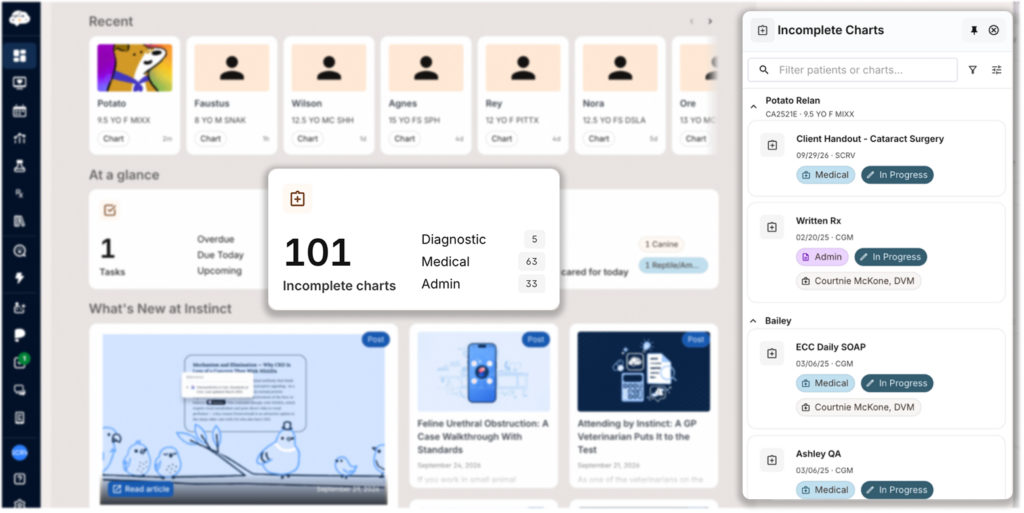
The User Dashboard, now available in Instinct EMR and Instinct EMR for Primary Care, brings your unfinished charts, open tasks, and recent patients together in one place. Personalized dashboards give veterinarians, veterinary technicians, and client service representatives a clear view of their own work.
Instinct EMR is a PIMS that combines medical excellence with complete practice management, so you can run your clinic with all-in-one trusted software. Book a free, no-pressure demo today.
Find Your Incomplete Charts Without the Spreadsheet
Every “In Progress” document needing your attention is listed on your dashboard. Clicking on it will open directly into each document.
Before, finding those same charts might’ve involved downloading an Excel report, filtering for your records, matching patient names or IDs, and then navigating to each document one at a time. That’s a lot of work before you could start the actual work.
The Incomplete Charts widget replaces all of that. It pulls everything into a single, searchable, and filterable list, so you can quickly find the SOAPs or Rxs you need to finalize.
Read: Is Onboarding a New Veterinary Software as Scary as It Seems?
Read: How to Help Your Team Succeed With Instinct
See Your Task Load at a Glance
See what tasks are overdue, due today, and coming up directly on your dashboard. Click on the widget to open the same Task List that lives on the left navigation panel, which you can use to assign and manage time-sensitive tasks for yourself or other staff members.
Check what’s outstanding and complete a task without navigating away to a separate part of Instinct EMR.
Get Back to the Patient Page You Need
An interruption shouldn’t mean retracing every click to find your place. The Recent section provides a shortcut to patient pages you’ve visited, so you can jump directly back into active work. Your recent history carries across sessions, including after you log out and back in.
Instinct EMR unites medical records and practice management in one modern system. Finally, a PIMS that’s as thoughtful and thorough as the care you provide. Book a free demo.
Build the Dashboard Around Your Day
You control both what’s on your dashboard and how it’s arranged. Show or hide any widget, then drag the ones you keep into whatever order works best for how you work. Your dashboard preferences are unique to you, so nothing you change affects anyone else’s view.
Keep checking back, because the set of widgets will keep growing. If there’s something you check every day or spend time searching for that you’d like a shortcut for from the User Dashboard, send us a feature request.
Stay Up To Date With What’s New
Our teams are constantly making improvements, big and small, and sometimes it can feel like a full-time job keeping up with all of the changes.
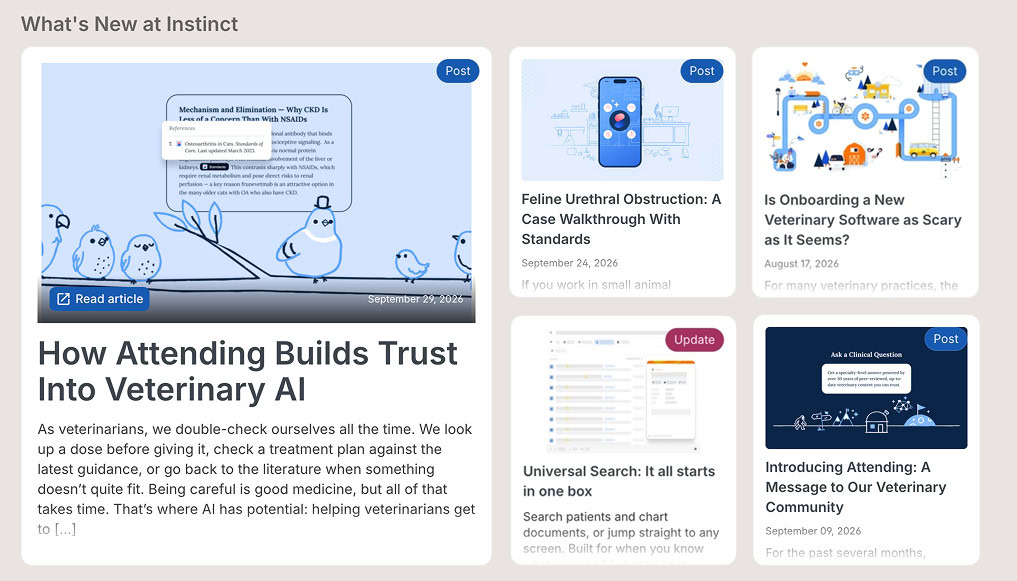
What’s New in Instinct EMR puts the latest releases, feature announcements, and articles right on your dashboard. The next time a feature you’ve been waiting on goes live, you’ll find it where you already start your day.
Put Your Dashboard to Work
Find your User Dashboard in the top corner of Instinct EMR’s left-hand navigation. Open it at the start of your next shift to review your tasks, or before you sign off to find your remaining charts.